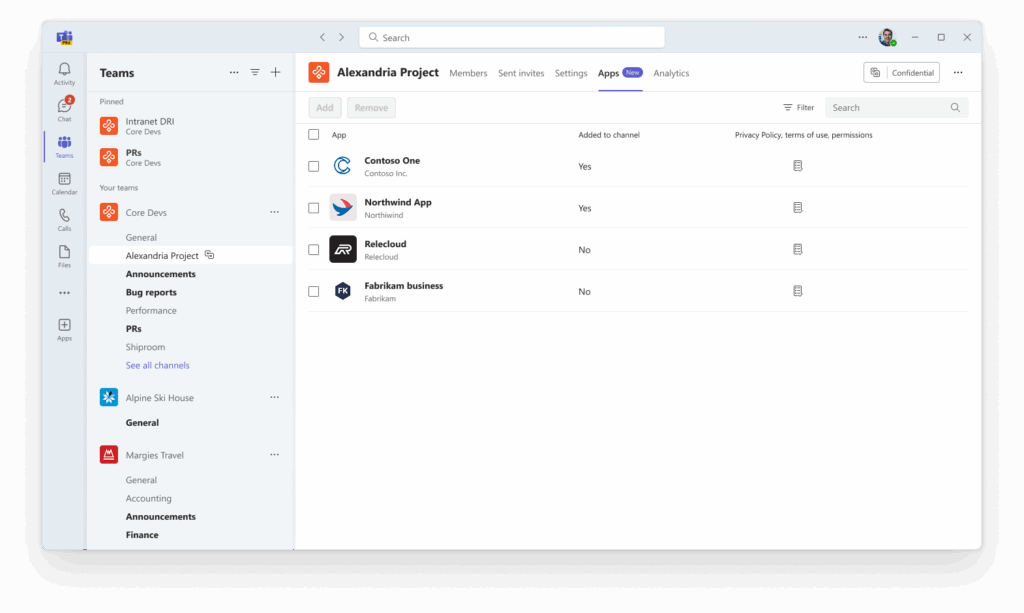
Microsoft has just started rolling out a highly requested Teams update: you can now add apps—including bots, tabs, and message extensions—directly to Shared Channels. This change is designed to make cross-team and cross-organisation collaboration more powerful and flexible (Microsoft 365 Roadmap ID 505791, Message Centre ID MC1168294)
What’s Changed?
Previously, only a limited set of tabs were available in Shared Channels. Now, a wide range of apps can be added, provided they’re updated by developers to support Shared Channel functionality and allowed by admins. This model will extend to Private Channels soon too.
With this update, Shared Channels in Teams just got a whole lot more useful. Now you can take advantage of a wider toolset for cross-collaboration, making it easier to get work done together, even with people outside your organisation. It’s a big step toward making more consistent experience, regardless of the type of channel you’re using. Plus, there are better controls for admins to keep things safe and compliant.
On the flip side, it does mean a bit more work for admins and channel owners, and not every app will show up everywhere just yet, so don’t be surprised if things feel a little inconsistent at first.
Key ‘Gotchas’ and Limitations
Alternative Options
- Standard Channels: For internal-only collaboration where broad app support is needed, standard channels remain the most flexible. They’re also the least complex!
- Private Channels: They offer restricted membership for files and conversations, but app support is still catching up to standard/shared channels.
- Separate Teams: For complex scenarios or when app support is critical and not yet available in Shared Channels, creating a dedicated Team may still be necessary.
Final Thoughts
This update is a significant step forward for Teams users who rely on Shared Channels for cross-team and cross-tenant collaboration. However, it’s important to review your governance policies, and test key apps for compatibility before celebrating!